

Estimated Read Time: 2 minutes
Is your team duplicating payment data? Is there a gap between approving a payment and seeing it marked as paid?
For many states, processing payments is a manual back-and-forth between Go Grants and the State Financial System. Staff must move data from Go Grants to the State’s Financial System, then wait, sometimes for days or weeks, to manually update Go Grants after the payment is processed. SFS Integration creates an automated bridge between Go Grants and your State Financial Office, eliminating this manual loop and keeping your data synchronized.
State Financial System (SFS) Integration
What is it?
A secure automated bridge that automates the transfer of payment information between Go Grants and your State’s Financial System (SFS).
How it Works: The Two-Way Connection
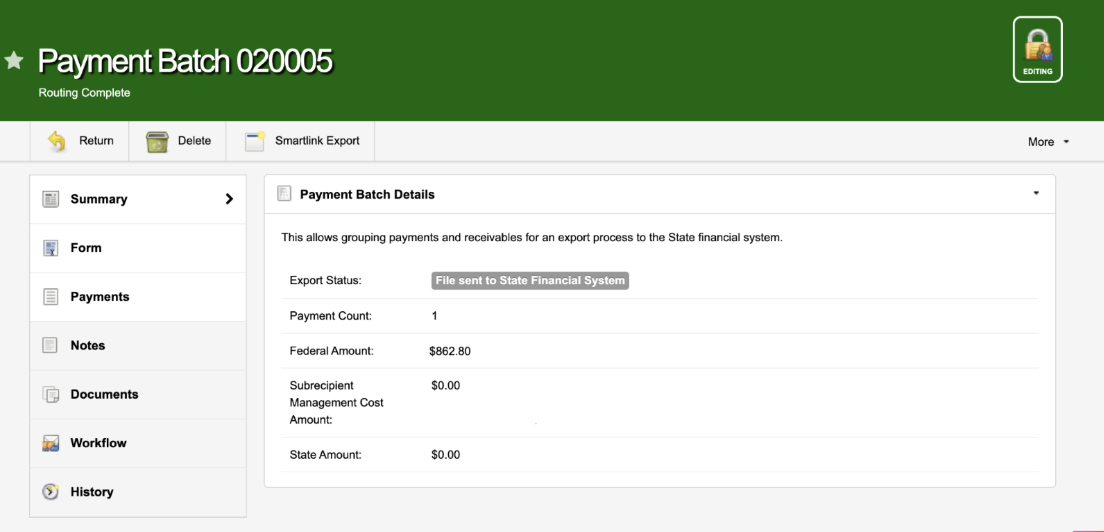
Step 1: Send the Payment Data
When a payment is approved in Go Grants by State staff, the system automatically generates a “Send File” containing all necessary payment details. This file is securely transferred to the State Financial Office, where it is picked up for processing.
Step 2: Return the Confirmation
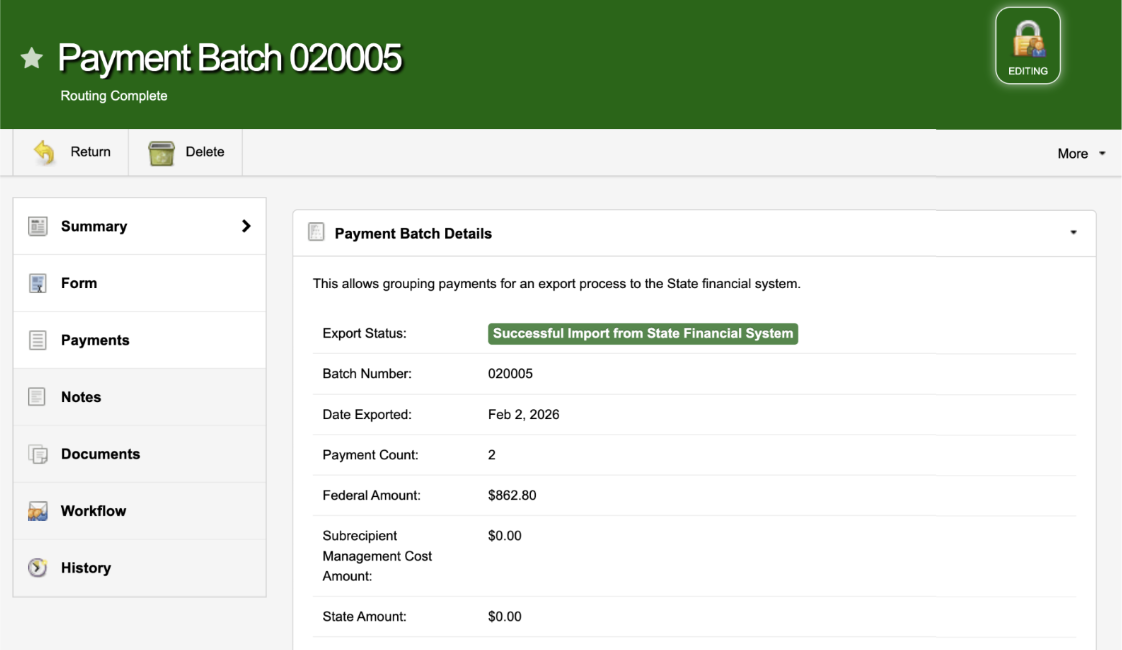
Once the payment is processed in the State’s Financial System, the data is sent back to the Go Grants in a “Return File.” The corresponding payment is automatically marked as Paid, and critical reference details like check numbers and dates are auto-populated instantly.
Why Integrate?
Efficiency: Enter Once, Use Everywhere
Data is entered one time in one location. When a State staff member approves a payment, the data flows to the Finance team automatically, and their confirmation flows back to you without a single keystroke from your program staff.
Consistency: Zero Manual Mistakes
By removing the manual transfer of data, you minimize the risk of administrative errors in critical fields like amounts, project balances, and payment statuses. Your data stays identical across both systems.
Transparency: The “One-Stop-Shop”
State users and Applicants no longer have to wonder about payment status.
- State Users: See “Paid” status without needing access to the SFS.
- Applicants: View real-time project summaries and payment workflows.
- Leadership: Access accurate financial reports instantly, with no manual compilation required.
How do we get started?
The baseline SFS integration includes a standardized Send File, a Return File, and an optional Error File for easy troubleshooting. Whether your system uses a Secure FTP Server or a Direct API, we can bridge the gap. This add-on is available for an additional cost. Contact our team to discuss your specific needs and pricing.