

Estimated Read Time: 2 minutes
Tired of losing track of priorities in a sea of data?
In the fast-paced world of Grants Management, business processes are constantly evolving. Labels in Go Grants give you the power to adapt instantly, offering a flexible way to categorize and prioritize your items without cluttering applicant-facing forms. Boost your organizational efficiency and gain deeper insights through enhanced Reporting.
Why You’ll Love Labels
- Dynamic Reporting: Filter and export data with ease to see exactly what matters across all items.
- Custom Color-Coding: Use default palette or custom hex codes to make your inventory visually intuitive.
- Internal Organization: Keep your internal categorizations discreet and visible only to State Users.
The Power of Labels
What is it?
Labels are your secret weapon for visual organization. Fully configurable per Module and visible only to State Users, they transform how you track, manage, and report on your daily operations.
How?
Step 1: Setting the Stage (Configuration)
Getting started is simple! A few quick administrative tweaks will unlock Labeling for your team:
1. Enable the ‘EnableModuleLabels’ System Setting under General Settings.

2. Toggle ‘Enable Labels’ to Yes in the intended Module’s Settings.
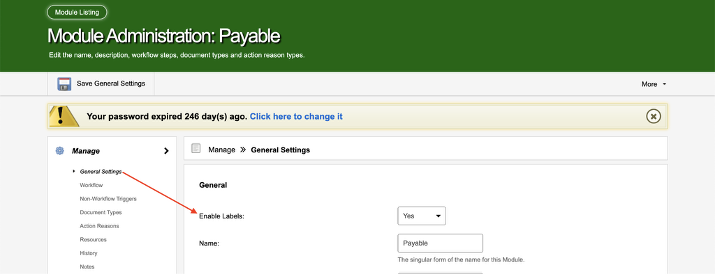
3. Configure your Labels by choosing meaningful names and vibrant colors.
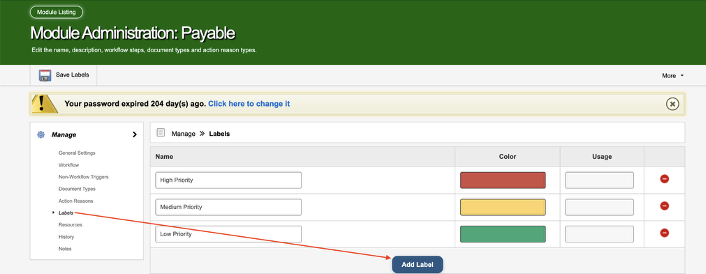
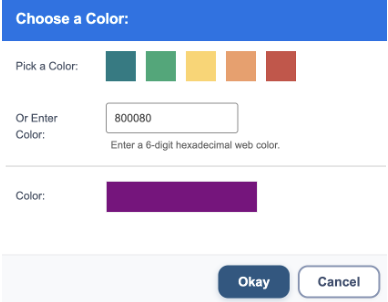
Express your brand or priority levels perfectly—pick from five defaults or use any 6-digit hex code for total creative control.
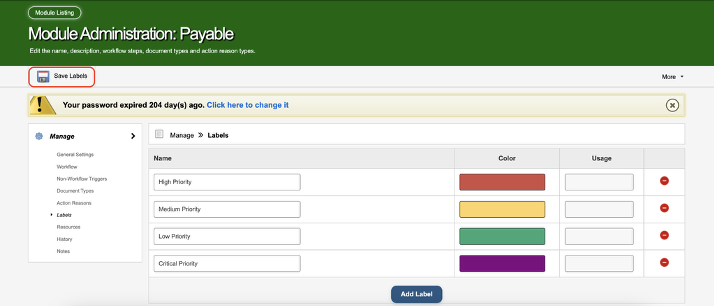
4. Don’t forget to Save Labels to bring your configuration to life!
Step 2: Putting Labels to Work
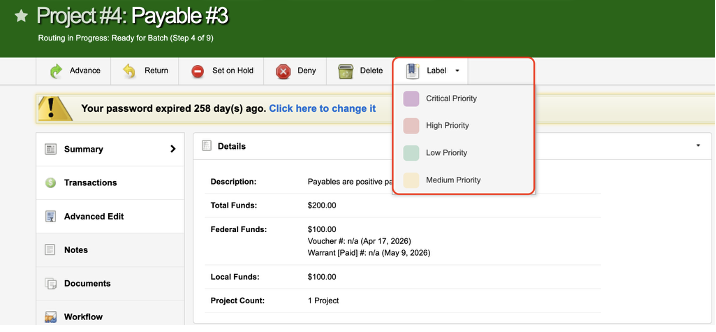
Applying Labels is a breeze once you have the ‘Can Apply Labels’ permission. Simply open an Item, click the ‘Labels’ button in the action bar, and pick the Label that fits. You can even apply multiple Labels for multi-layered organization!
Why Label?
Transparency: Available per Item
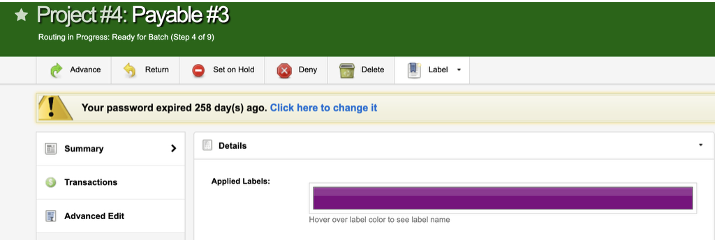
State Users can see Applied Labels on the Item Summary, so you can be efficient in your day-to-day operations.
Reporting: Available Across Items
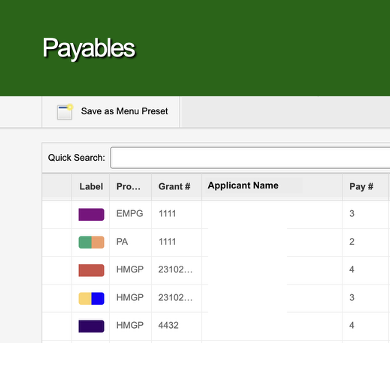
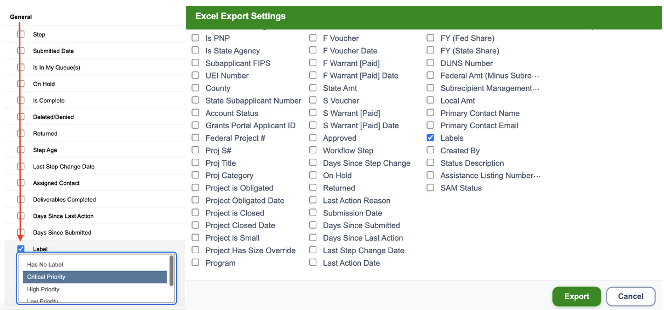
State Users can also see Applied Labels on the Item Listing, where you can even Filter for and Export Applied Labels, so you can quickly and easily report on your priorities, categories, etc..
Ready to Organize? Labels are just one part of our Productivity Suite, designed to help teams work more efficiently in Go Grants. The Productivity Suite add-on is available at an additional cost. Contact our team to discuss your specific needs and pricing.